Themes, and NEON on the real thing
Until now "theme" meant a colour palette. This update makes a theme a whole look: colours, a screen filter, a home layout, and how the consoles and cartridges are drawn. There are four built in: lilvo (the default), NEON, DMG and PAPER.
What NEON does
- Holographic consoles. The same 3D console models drawn as translucent cyan surfaces with glowing edges. Hidden edges are drawn too, dimmer, which is what makes it look like a hologram.
- Wheel layout. Game names scroll on the right of the bottom screen, with the selected one big and the others fading out. Up / down picks a game, L / R switches console.
- "Relic" cartridges. The selected game floats on the left as a glass cartridge with glowing circuit traces. Every game gets its own trace pattern and colour, and its cover art if there is one.
- Scanlines and glitches. A scanline filter on both screens, plus a short random glitch every 3–6 seconds: shifted bands, blocks and a red/blue split. Sometimes both screens glitch together, sometimes only one.
Single-screen games get a panel
For GBA and the other single-screen systems, the bottom screen now shows a small panel drawn by the system in the current theme: save to slot 1, load slot 1, quit (saving first), and hold for 2× speed.
DMG and PAPER
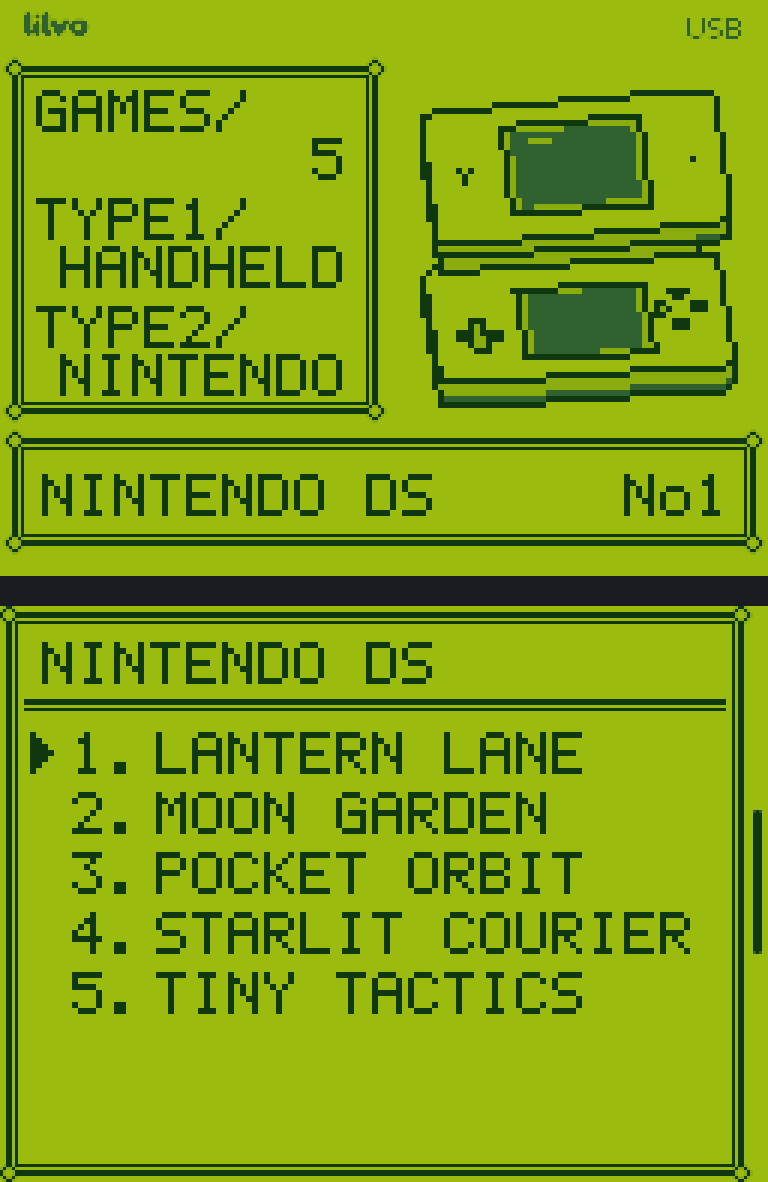
DMG is a love letter to the original Game Boy screen. It draws everything in four shades of grey, then a filter maps them to the four classic greens. It has its own 5×7 pixel font, little hand-drawn pixel consoles, and a menu that looks like an old handheld RPG. PAPER is the opposite: black on white, a plain list, no animation.
Things I decided not to do
No glitches inside the in-game menu or on the panel shown under single-screen games. It looked fun for five minutes and then just got in the way. Themes can't be made by users yet, but the format is a simple text file, so that door is open.